

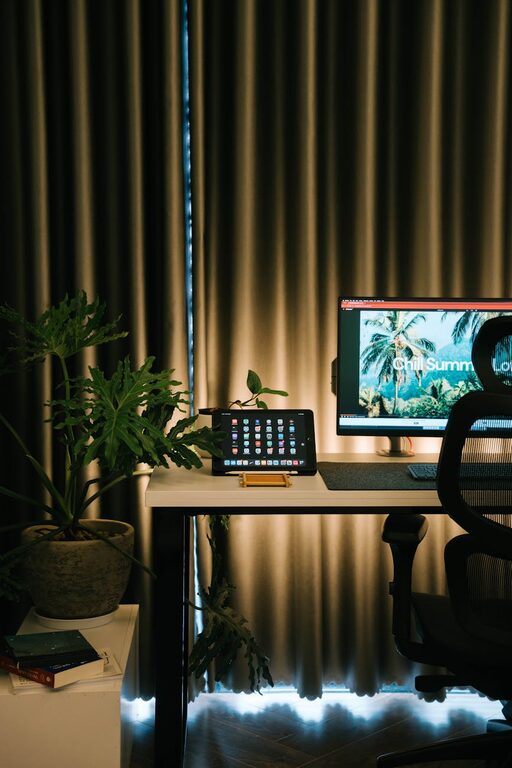
Creating a home office that is both cozy and productive can make a big difference in your work-from-home experience. A well-designed workspace not only keeps you motivated but also helps reduce stress and improve your overall efficiency. Whether you have a small corner or an entire room dedicated to your work, these tips will guide you in crafting a space that balances comfort with functionality.
1. Choose the Right Location
First, find a spot in your home that suits your work style. Ideally, it should be quiet and free from distractions. If possible, select a space with natural light, as it can boost mood and energy levels.
Tips for Location Selection:
– Avoid high-traffic areas like the kitchen or living room.
– Use a spare room or a corner of a bedroom for privacy.
– Make sure you have enough space to organize your supplies and devices.
2. Invest in Comfortable Furniture
Comfort is key for long hours of work. A good chair and desk can prevent posture problems and keep you focused.
Furniture Essentials:
– Ergonomic chair: Look for adjustable height and lumbar support.
– Sturdy desk: Select a desk size that fits your equipment and allows room for movement.
– Optional standing desk: For variety and health benefits, consider a desk that can switch between sitting and standing heights.
3. Optimize Lighting
Proper lighting helps reduce eye strain and creates a welcoming atmosphere.
Lighting Tips:
– Use natural light whenever possible.
– Add task lighting like a desk lamp to illuminate your work area.
– Avoid harsh overhead lights; opt for warm, soft lighting to create coziness.
4. Organize Your Workspace
A tidy workspace can increase productivity and reduce stress.
Organization Ideas:
– Use shelves, drawers, or filing cabinets to store documents.
– Keep frequently used items within easy reach.
– Utilize cable organizers to keep cords neat and untangled.
– Consider desk organizers or trays to separate pens, papers, and gadgets.
5. Personalize Your Space
Adding personal touches makes your office feel inviting, which can boost creativity and comfort.
Ways to Personalize:
– Hang artwork or photos that inspire you.
– Incorporate plants for freshness and improved air quality.
– Choose colors that promote focus and calmness, such as soft blues or greens.
– Use cozy accessories like a soft throw blanket or cushions.
6. Minimize Distractions
Keeping distractions at bay is essential for staying productive.
How to Avoid Distractions:
– Use noise-canceling headphones or white noise machines if your environment is noisy.
– Set clear boundaries with family members or roommates during work hours.
– Turn off notifications on your phone or use apps that limit distracting sites.
7. Incorporate Technology Thoughtfully
Technology is a vital part of any home office, but it should serve your productivity, not hamper it.
Technology Setup Tips:
– Invest in a reliable internet connection.
– Use a quality monitor or laptop stand to maintain good posture.
– Organize your cables and power strips to avoid clutter.
– Consider adding a printer or scanner if necessary.
8. Take Breaks and Move
A cozy, productive office space should also encourage good habits.
Encourage Movement:
– Use a timer to remind yourself to stand or stretch every hour.
– Create a comfortable spot nearby for short breaks to relax and recharge.
– Incorporate some light exercise or yoga to maintain energy and reduce stress.
Conclusion
Designing a cozy and productive home office is about creating a space tailored to your needs and habits. Prioritize comfort, organization, and a pleasant environment to enjoy your workday more fully. By thoughtfully combining functionality with coziness, you’ll set yourself up for success whether you’re freelancing, studying, or working remotely.