

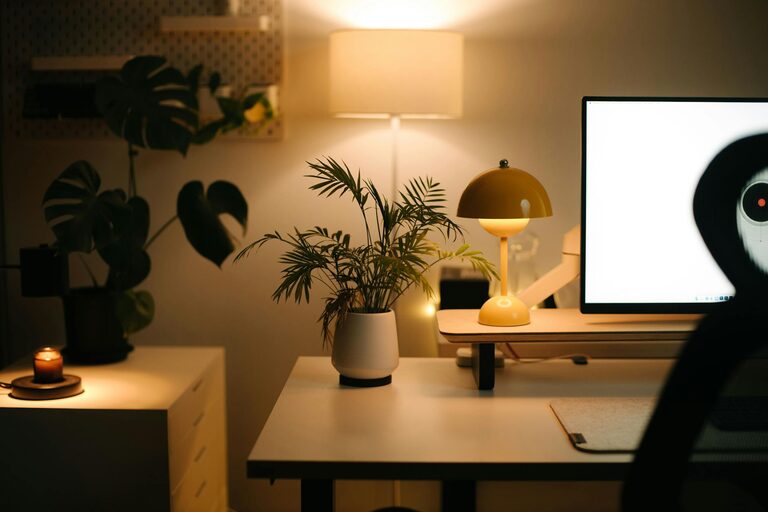
Creating a cozy and functional home workspace is essential for maintaining productivity and comfort, especially when working remotely or juggling tasks at home. A well-designed workspace not only boosts your efficiency but also supports your well-being throughout the day. Whether you have a dedicated office room or just a small corner, these tips will help you transform your space into a pleasant and effective work environment.
1. Choose the Right Location
Consider Natural Light
Natural light helps reduce eye strain and improves mood. Set up your workspace near a window if possible. Position your desk so that the light comes from the side to avoid glare on your computer screen.
Minimize Distractions
Pick a quiet spot away from high-traffic areas. If space is limited, use room dividers or curtains to separate your workspace from the rest of the living area.
2. Invest in Comfortable Furniture
Ergonomic Chair
A good chair with adjustable height, lumbar support, and comfortable cushioning is key. Sitting for long hours demands proper back support to avoid discomfort or injury.
Supportive Desk
Choose a desk with enough surface area for your computer, notebook, and any other tools you need. Consider desks with adjustable heights or standing desk options to vary your posture.
3. Organize Efficiently
Declutter Regularly
Keep your workspace tidy by only having essential items on your desk. Clutter can distract and overwhelm your mind.
Use Storage Solutions
Shelving units, desk organizers, or filing cabinets can help keep your supplies and documents in order. Label containers for easy access.
Cable Management
Use clips, sleeves, or boxes to keep cords and chargers neat. This reduces messy tangles and hazards.
4. Add Personal and Cozy Touches
Incorporate Soft Textiles
Add a small rug, cushions, or a cozy throw blanket. These elements create a warm, inviting atmosphere that encourages focus and relaxation.
Include Plants
Indoor plants improve air quality and add a touch of nature. Choose low-maintenance options like succulents or pothos to brighten your space without extra work.
Personal Decorations
Add photos, art, or inspirational quotes that motivate you. Keep the décor simple so it doesn’t become distracting.
5. Make Lighting Work for You
Layered Lighting
Combine different light sources like desk lamps, floor lamps, or overhead lights. Adjustable lighting helps reduce eye strain and can be customized for various tasks.
Use Warm Bulbs
Warm white or soft yellow light bulbs create a cozy ambiance, supporting comfort during long work sessions.
6. Optimize Technology Setup
Proper Screen Positioning
Place your monitor at eye level, about 20-30 inches away to maintain good posture and reduce eye fatigue.
Quality Accessories
Use a comfortable keyboard and mouse. Consider noise-cancelling headphones if you need to focus in a noisy environment.
Reliable Internet and Power Access
Ensure your workspace has strong Wi-Fi and enough outlets to keep your devices charged without hassle.
7. Establish Boundaries and Routine
Define Workspace Hours
Treat your home workspace like a traditional office. Set clear start and stop times to separate work from personal life.
Use Visual Barriers
When off work, close a door or cover your workspace to signal the transition out of work mode.
Schedule Breaks
Regular breaks help maintain focus and reduce fatigue. Use a timer or app to remind yourself to stretch, move, or rest your eyes.
8. Keep Comfort in Mind
Temperature Control
Make sure your workspace stays at a comfortable temperature. Use fans, heaters, or adjust window coverings as needed.
Hydration and Snacks
Keep water and healthy snacks nearby to stay energized throughout the day without disrupting your workflow.
—
Creating a cozy and functional home workspace doesn’t have to be complicated or expensive. By focusing on comfort, organization, and a personal touch, you can design a space that supports your productivity and well-being. Start small, experiment with different setups, and prioritize what makes the space feel both inviting and efficient for your unique needs.