

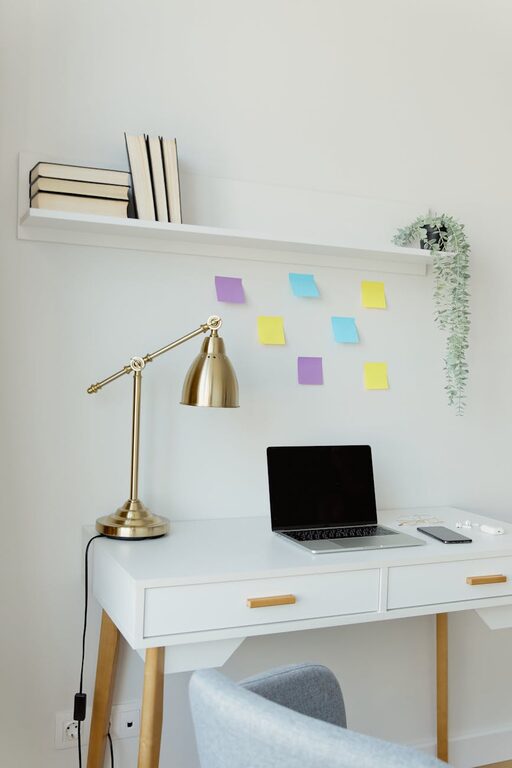
Creating a productive home office space can make a big difference in how efficiently and comfortably you work from home. Whether you’re starting a remote job, freelancing, or just need a dedicated area for personal projects, designing the right environment helps you stay focused and motivated. Here are some practical tips to help you set up a home office that supports productivity and well-being.
Choose the Right Location
Selecting the best spot in your home for a workspace is the foundation of productivity. Ideally, pick a quiet area with minimal distractions. If possible, avoid high-traffic zones like the kitchen or living room where family activities might interrupt you.
Consider Natural Light
Natural light is one of the best contributors to a positive workspace. Position your desk near a window to benefit from daylight. It helps reduce eye strain and lifts your mood throughout the day. If natural light isn’t available, invest in a good quality desk lamp with adjustable brightness.
Invest in Comfortable and Functional Furniture
Comfort is critical since you’ll spend long hours at your desk. Choosing the right furniture promotes good posture and reduces fatigue.
– Desk: Pick a desk with enough surface area to hold your computer, notepads, and any other tools you need. Adjustable desks or standing desks offer flexibility.
– Chair: An ergonomic chair that supports your lower back, encourages good posture, and is adjustable in height is worth the investment.
– Storage: Shelves, filing cabinets, or organizers keep your workspace tidy and make it easy to find what you need.
Organize Your Workspace
A cluttered desk can lead to a cluttered mind. Keeping your office organized helps maintain focus and efficiency.
– Use cable organizers to keep cords neat.
– Have dedicated spots for stationery, chargers, and documents.
– Regularly declutter your space to avoid buildup of unnecessary items.
Minimize Distractions
Distractions are a productivity killer, especially at home. Here are a few strategies:
– Use noise-canceling headphones or soft background music if you find it easier to focus.
– Turn off notifications on your phone or computer during work hours.
– Set clear work boundaries with family members or roommates.
Customize Your Space for Inspiration
Adding personal touches can make your office inviting and motivating:
– Incorporate plants to add freshness and improve air quality.
– Hang artwork or photos that inspire you.
– Choose a color scheme that makes you feel calm or energized, depending on your work style.
Optimize Technology and Connectivity
A reliable internet connection and updated technology ensure smooth workflow. Consider the following:
– Upgrade your router or use wired connections to avoid slow internet.
– Keep your software and hardware up to date.
– Use a second monitor if your work involves multitasking or requires extra screen space.
Establish a Routine and Ergonomic Practices
The physical setup is only part of the equation. How you work within that space matters.
– Start your day with a set routine to signal the beginning of work.
– Take short breaks every hour to stretch and rest your eyes.
– Maintain good posture and consider ergonomic accessories like wrist supports or footrests.
Keep it Flexible
Sometimes, changing your environment can reignite productivity. If possible:
– Use a space that allows switching between sitting and standing.
– Rearrange your office layout occasionally to refresh your atmosphere.
– Have a backup working spot for days when you need a change of scene.
—
Creating a productive home office is all about blending comfort, functionality, and personal style. With these tips, you can design a workspace that supports your best work and brightens your day. Remember, the key is to make your home office a place you enjoy spending time in while staying focused and organized.